A specialised format
HFSQL Classic keeps data in dedicated .FIC and .MMO files. Getting tables, memos and types out cleanly, with the right column types, takes the right tool.
Fic2All converts HFSQL Classic databases (.FIC, .MMO) to SQLite, PostgreSQL, MySQL or SQL Server. It runs on your machine, only reads your source files, and ends with a report that proves every table made it across.
Windows desktop app. Your data never leaves your machine.
HFSQL Classic keeps data in dedicated .FIC and .MMO files. Getting tables, memos and types out cleanly, with the right column types, takes the right tool.
Many databases are password-protected. Fic2All reads them the proper way, through the official HFSQL ODBC driver and the password you provide, so no table gets left behind.
A CSV export gives you files. Fic2All gives you confidence: you see the row counts match, table by table, before you switch anything off.
Pick the folder. Fic2All finds every .FIC and .MMO and the project analysis (.wdd) that describes them, even a few folders up. Each table gets a clear status: Ready, Protected or Error, with the reason.
Enter the file password once. It goes straight to the official driver and is never saved. A wrong password can be retried immediately; a missing driver is explained, and the other tables are unaffected.
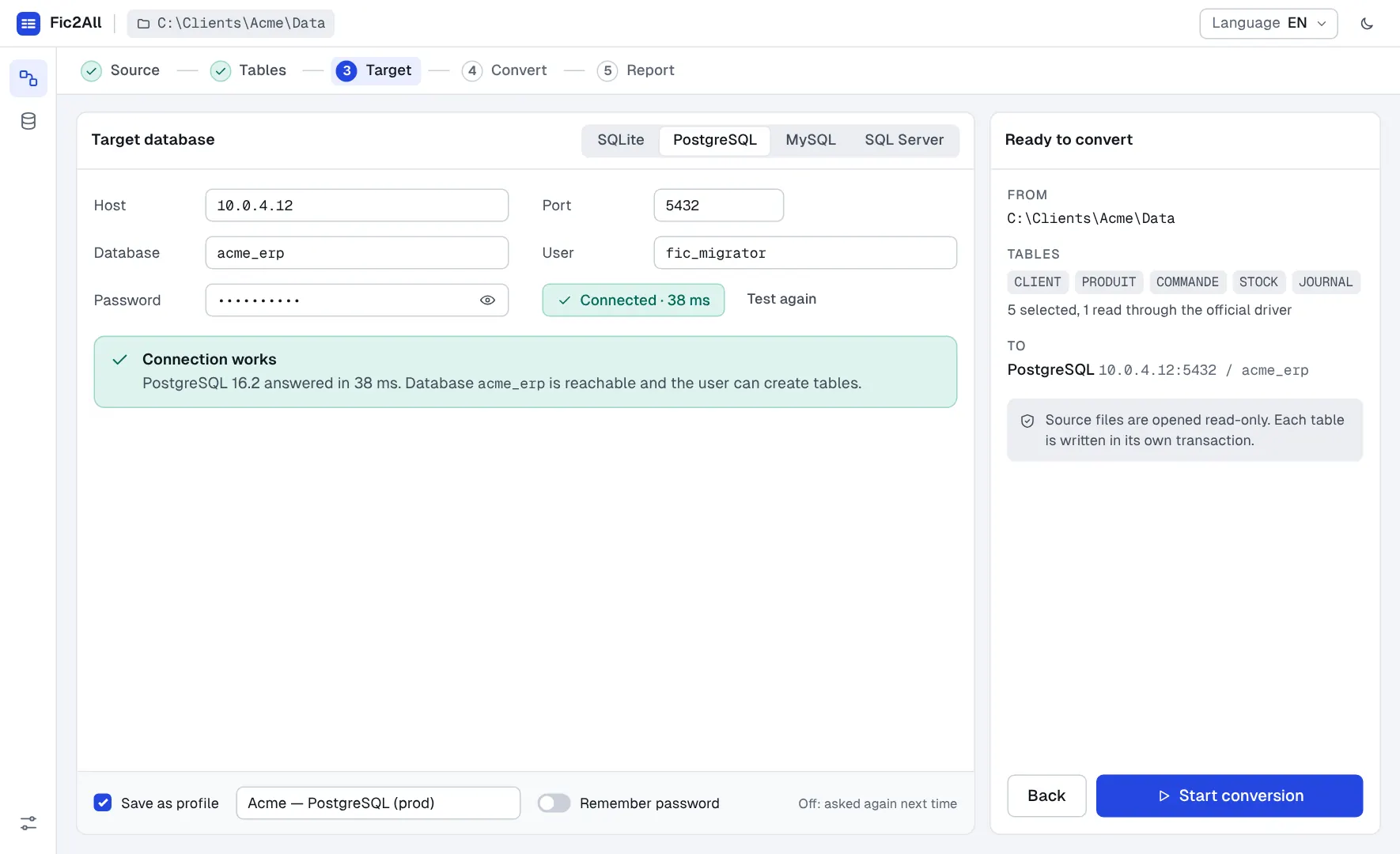
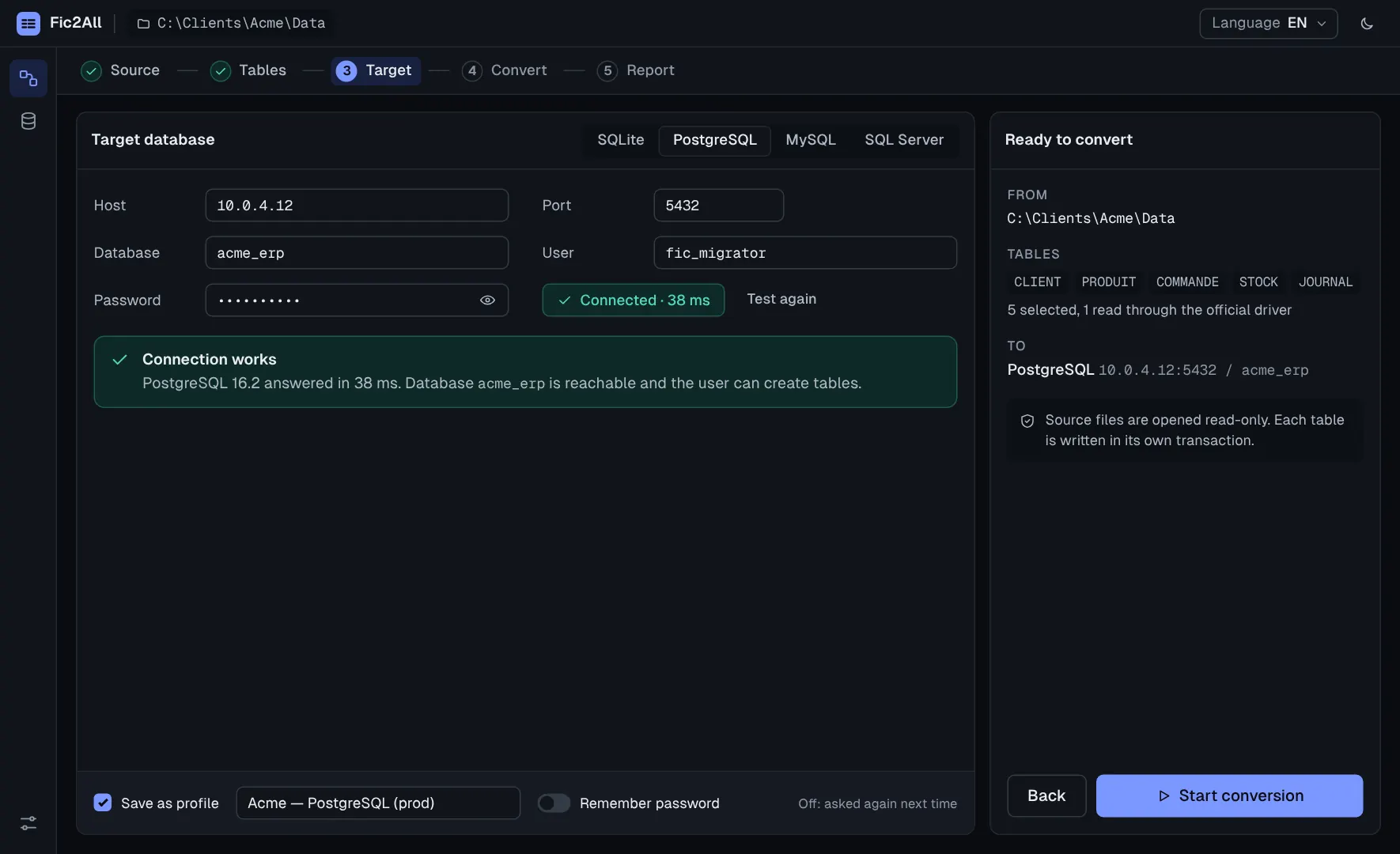
Choose SQLite, PostgreSQL, MySQL or SQL Server and test the connection before anything is written. Save it as a profile for the next project.
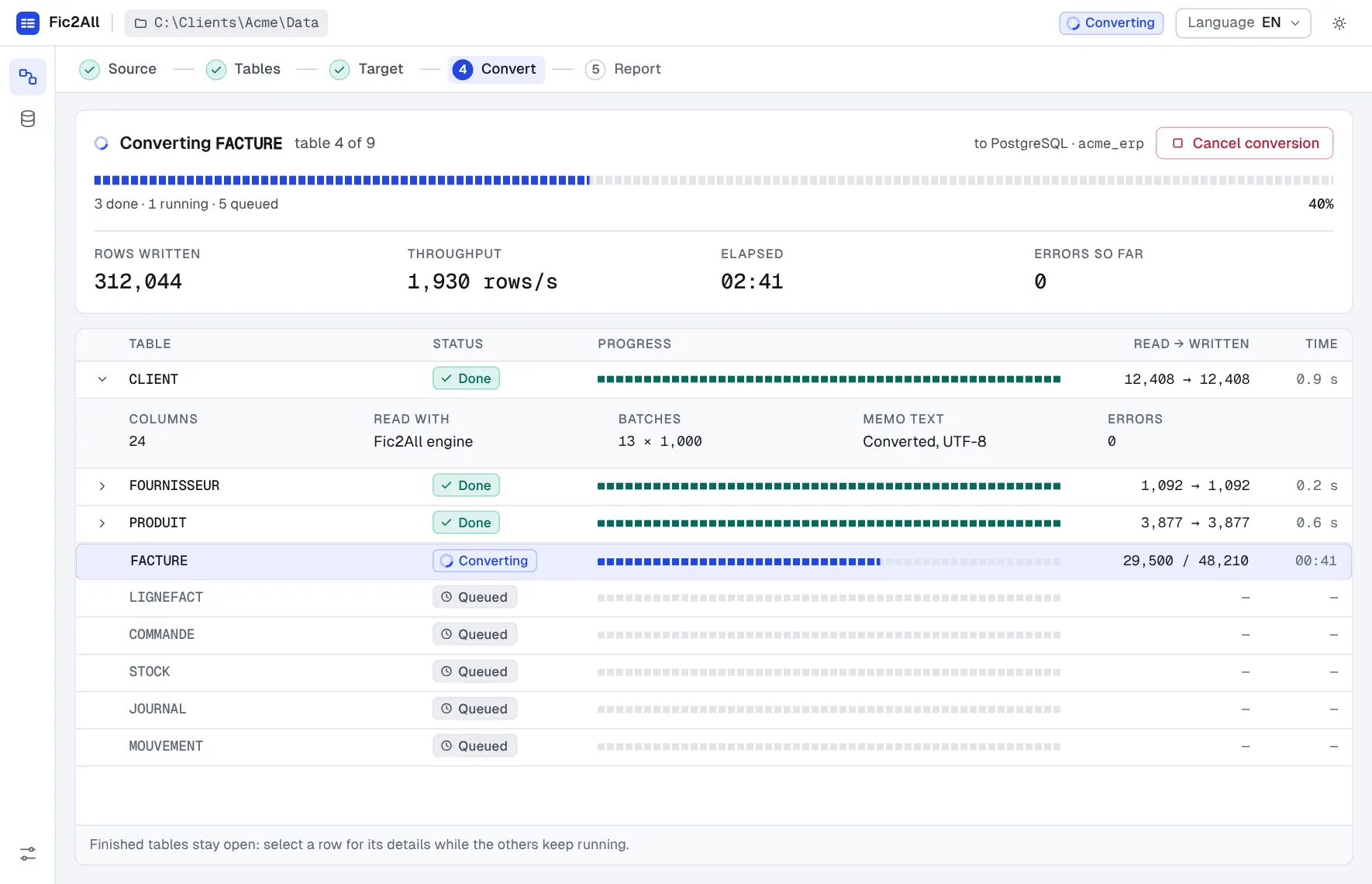
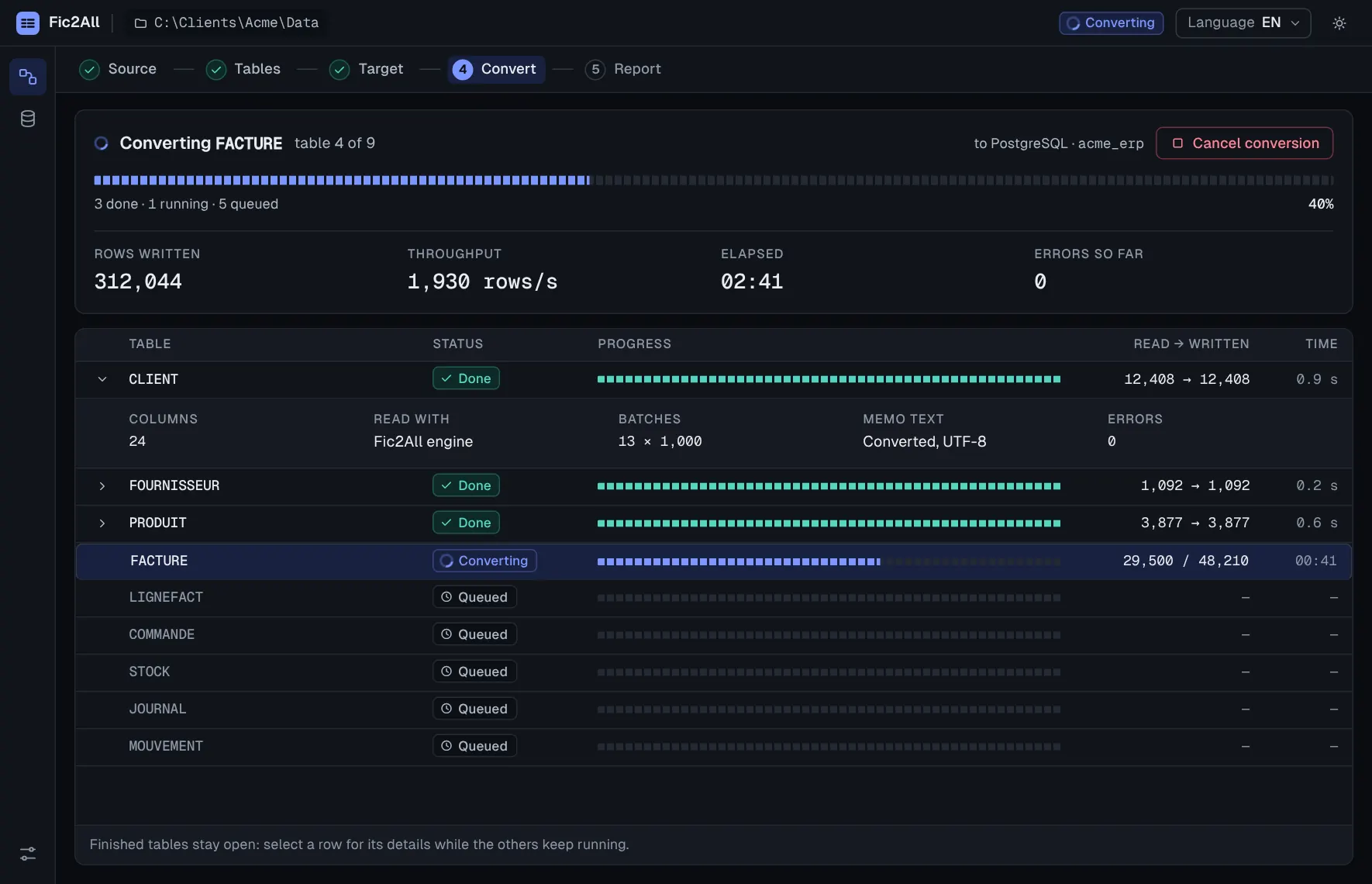
Follow progress live. Finished tables stay open for inspection while the others run. You can cancel at any time, and tables already converted stay intact.
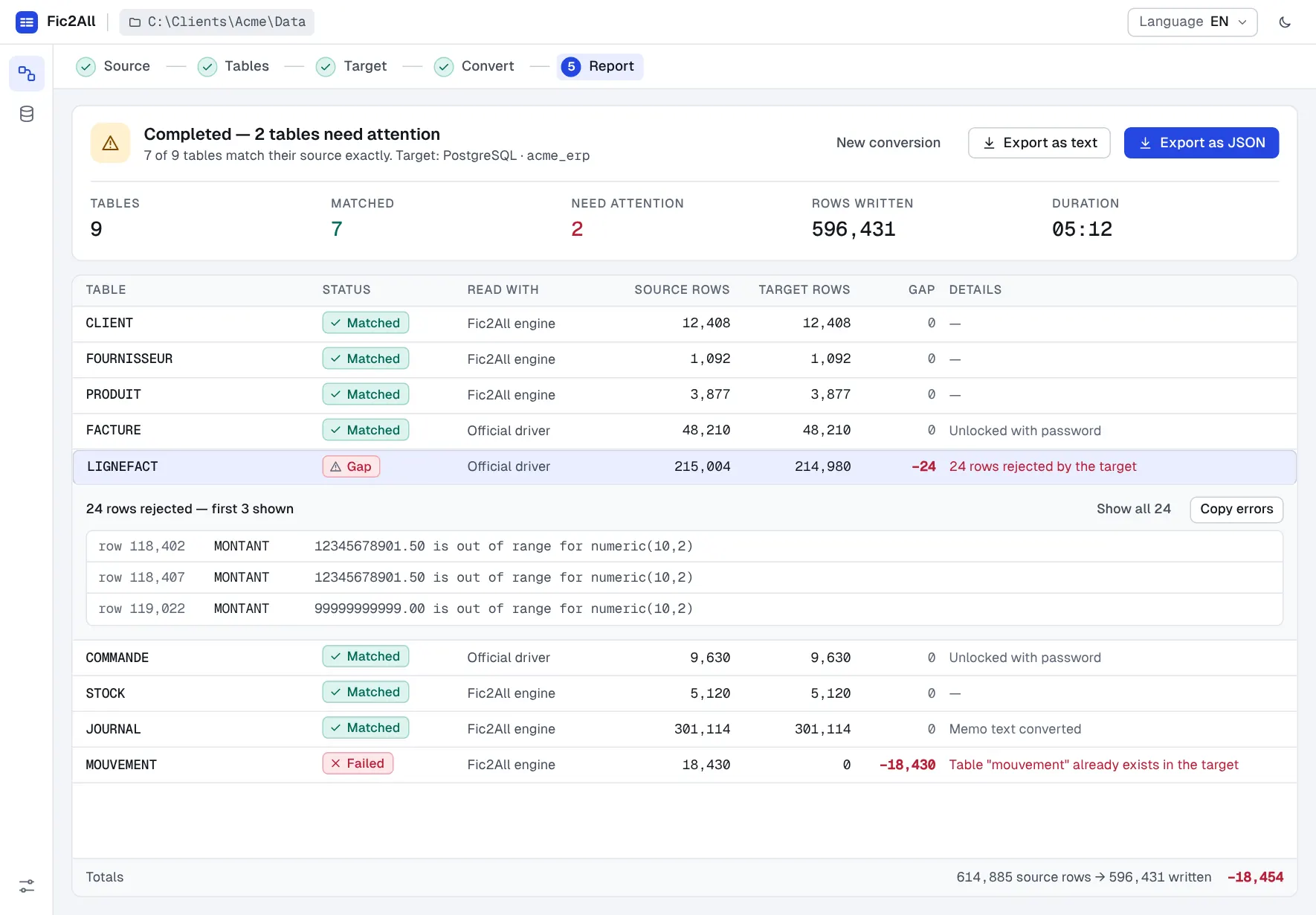
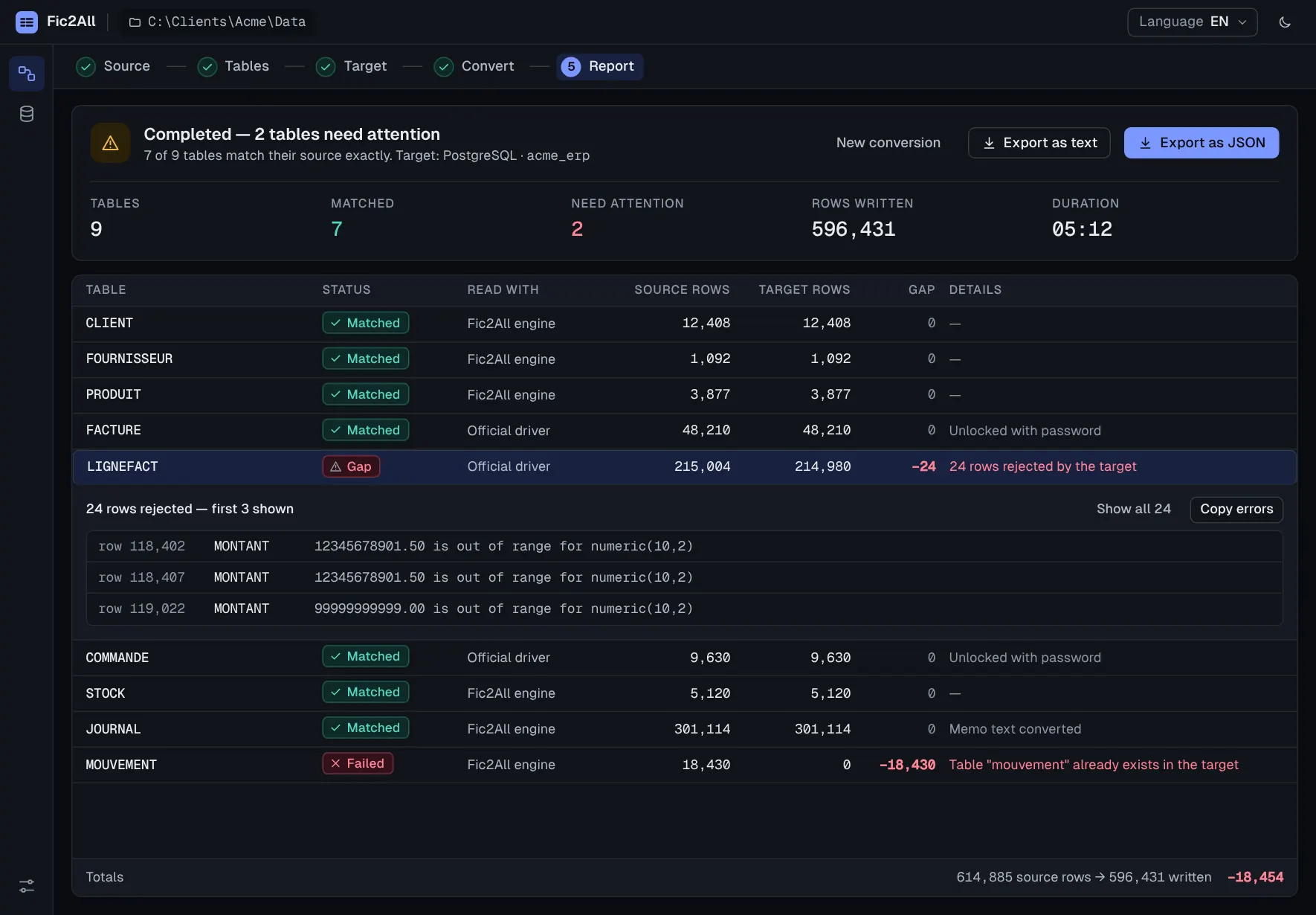
Rows read against rows written, for every table. If something does not match, you see which rows were rejected, in which column, and why.
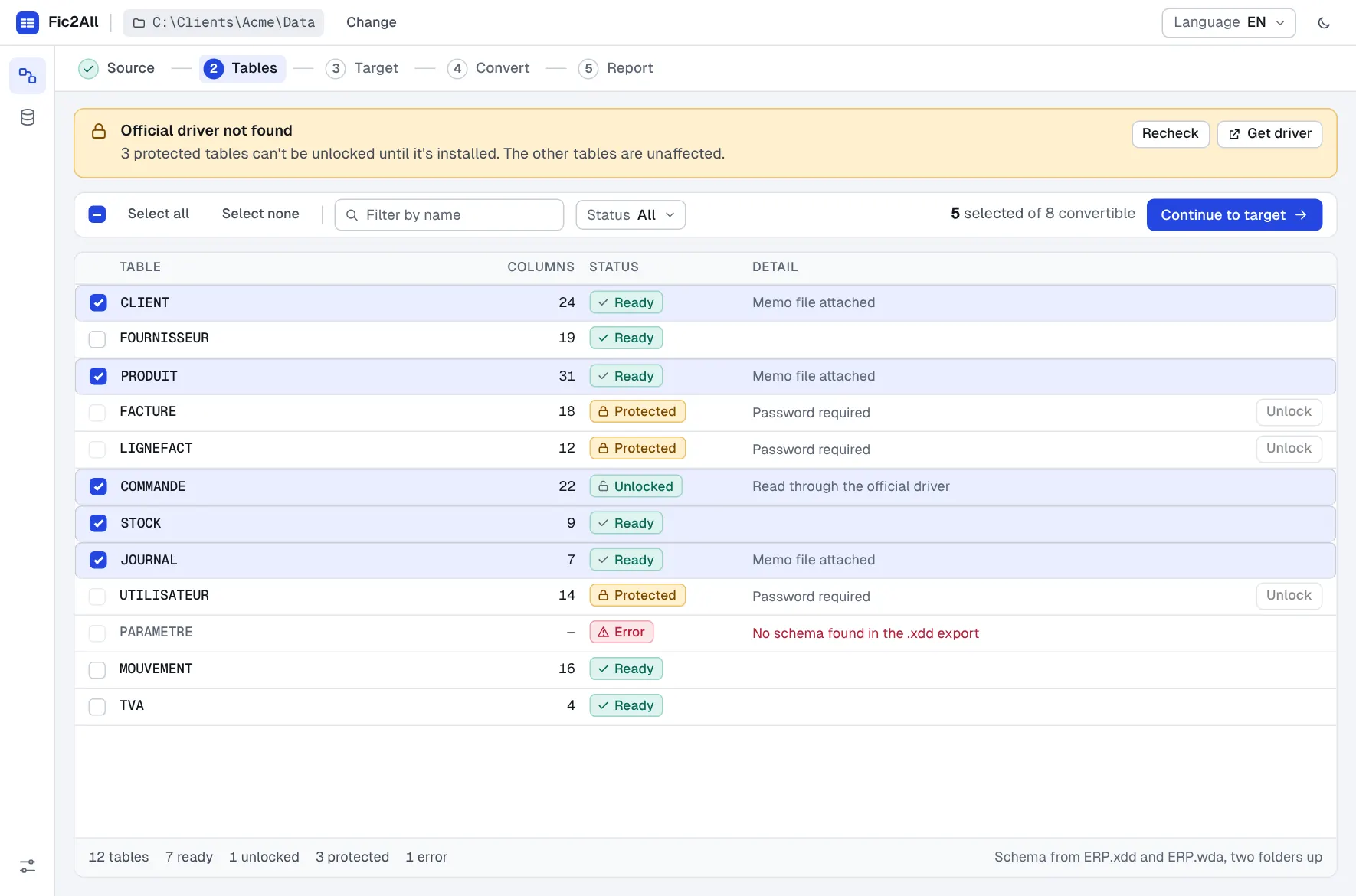
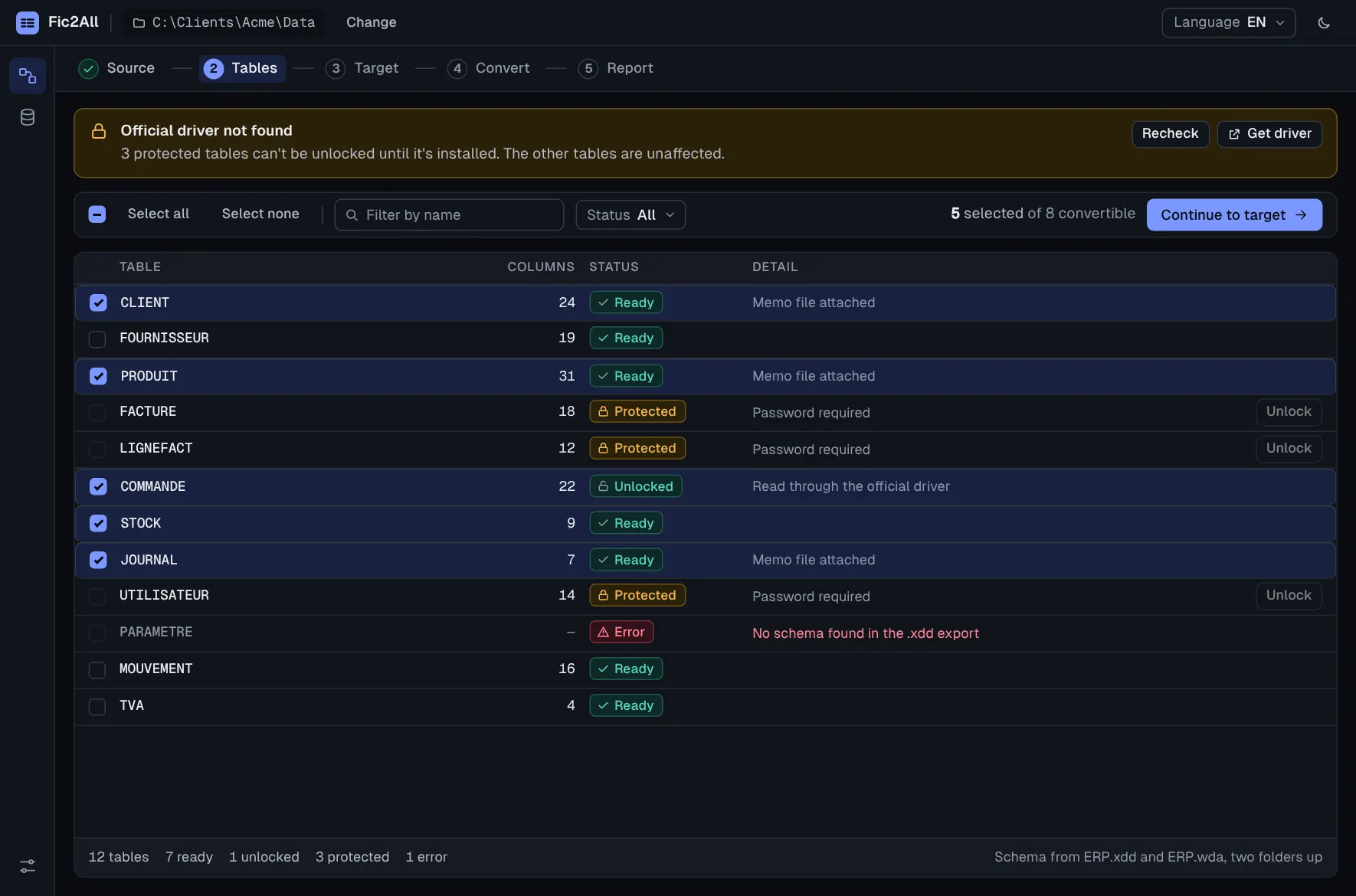
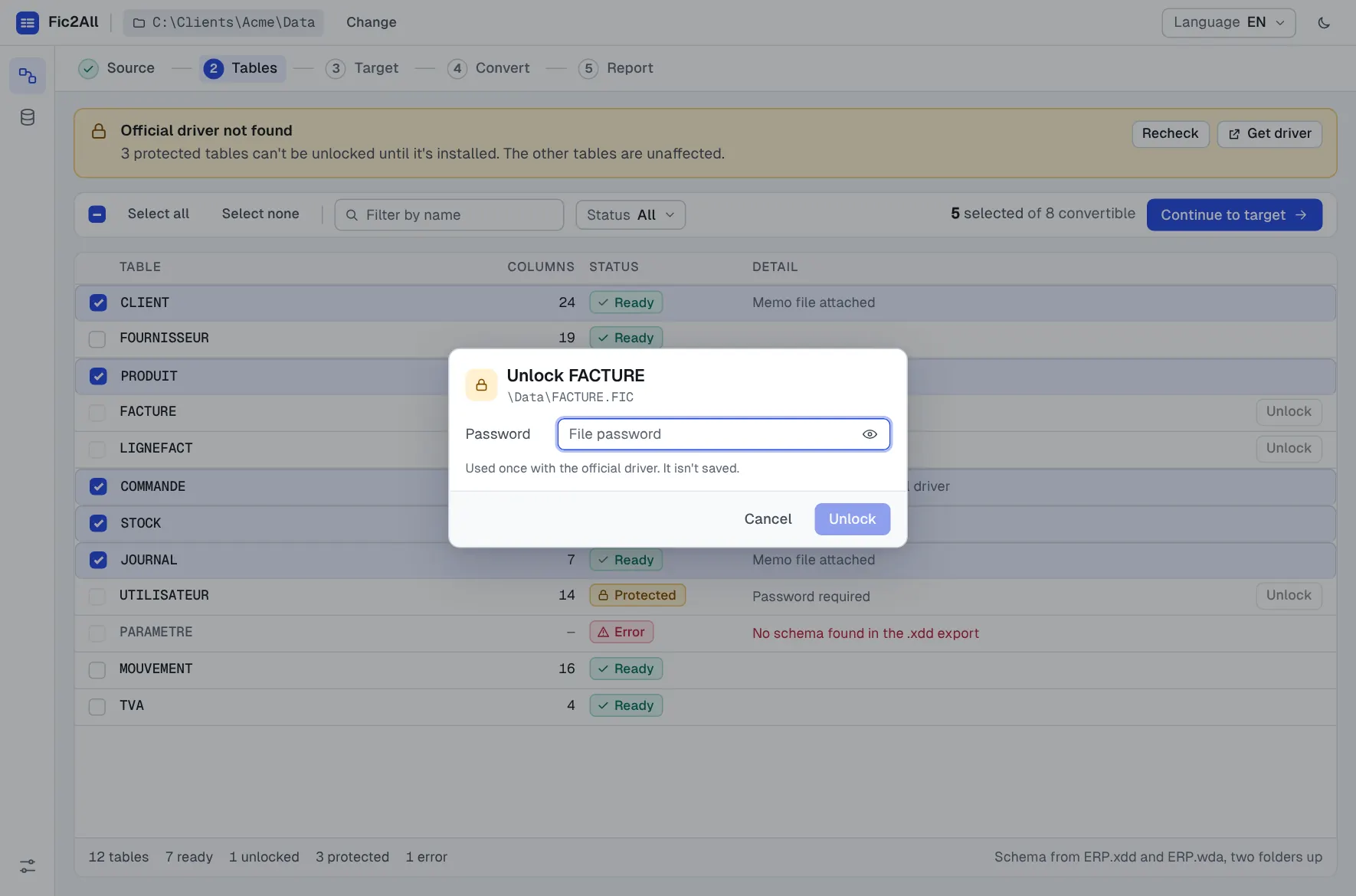
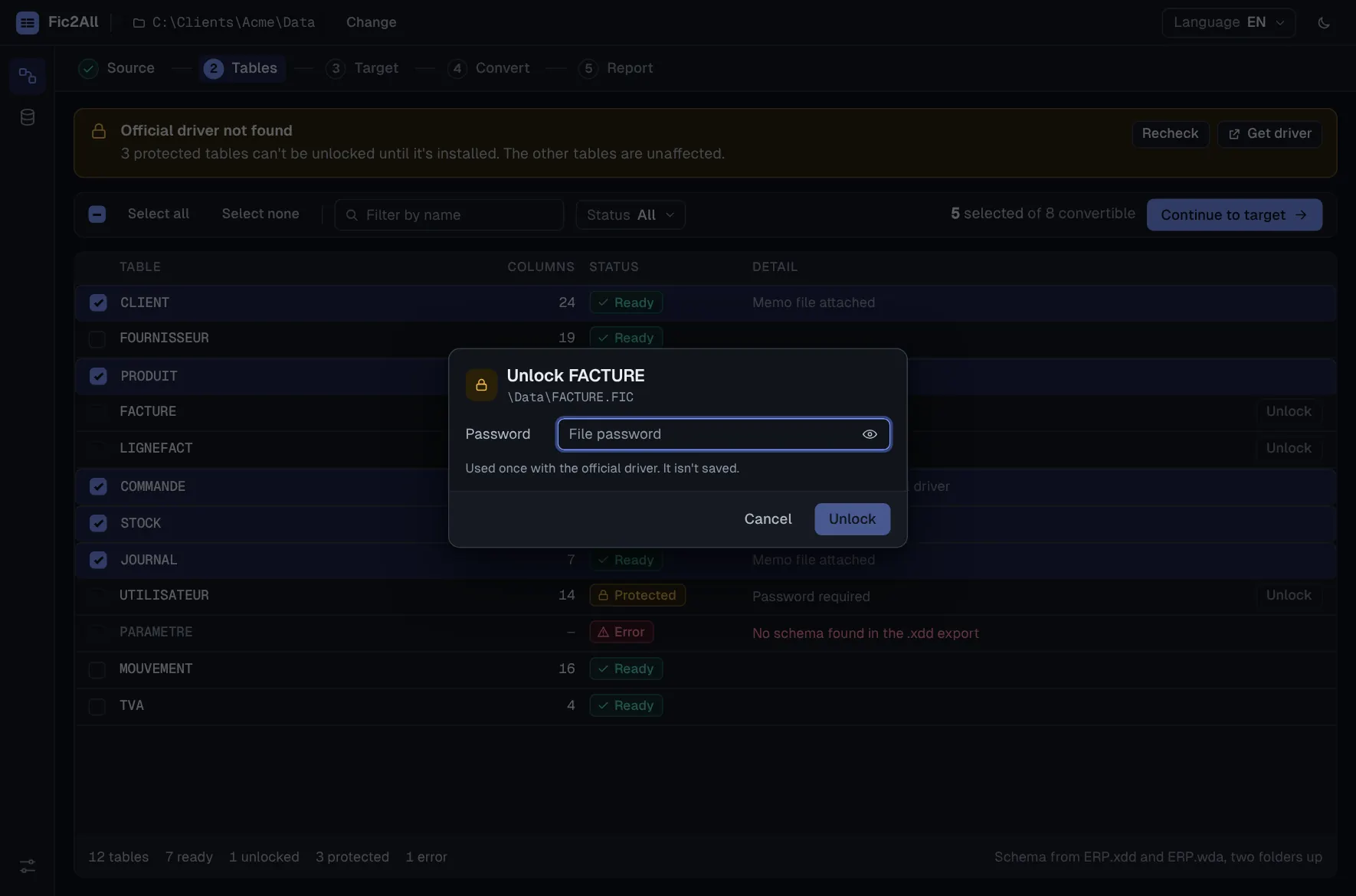
Fic2All relies on the HFSQL ODBC driver published by PC SOFT, installed once on the machine, so your .FIC and .MMO files are read the way the original application reads them. Nothing to export first.
Column names, types and order come from your project analysis (.wdd), found automatically in the folder or a few levels above. A table that is not in the analysis is flagged with a clear message, never guessed.
Password-protected tables are read through the official driver with the password you provide. Fic2All fully respects the protection.
Memo text from .MMO files is converted and kept with its row, as UTF-8 text.
Test the connection first, save it as a profile, reuse it on the next project.
Batched conversion with bounded memory, so multi-gigabyte sources do not mean multi-gigabyte RAM. An error in one table does not touch the tables already converted.
Rows read against rows written for every table, with rejected rows listed by row, column and reason. Export it for the project file or the client.
Cancel a conversion whenever you want. The table in progress is rolled back cleanly and the tables already converted stay intact.
A dense, fast interface with light and dark themes and a one-click switch between English and French. Filters stay on one line, statuses always carry an icon and a word, and every error says what happened and what to do next.
Typed columns, every row, memo text attached. Ready for your next application, your BI tool or your ORM.
// schema from the project analysis (.wdd)
ClientID    auto-id
Name        text (60)
Email       text (120)
Balance     currency
Notes       memo   ← CLIENT.MMO
CreatedOn   date
CREATE TABLE client (
  client_id  bigint PRIMARY KEY,
  name       varchar(60),
  email      varchar(120),
  balance    numeric(12,2),
  notes      text,
  created_on date
);
-- 12,408 rows written · matched
Illustrative example. Exact types depend on your analysis and on the target engine.
Source files are opened read-only. Nothing is ever written to them.
Conversion runs on your computer. Your data goes from your files to your database and nowhere else. No upload, no cloud step.
A file password is used once and is never stored or logged. A database password is saved only if you explicitly allow it.
Fic2All works with the protection, never around it. You provide the password and the official driver does the decryption.
You are moving an application to a new stack and want clean SQL tables to build on.
Repeat the same conversion across client projects and hand over a report that backs it up.
Bring an existing information system to a database your stack and tools already support.
Fic2All is published by Jazairsoft. It is built by a developer with 30 years of experience in business software, including long-running production work with HFSQL. It is the tool that experience says a migration needs.
Every plan is the full product: all four targets, verification reports, no limit on tables or rows. Plans differ only by duration, updates and support.
One migration, done properly.
Best for a single project you want to close this month.
For regular migrations and client projects.
Best for consultants and teams with several projects a year.
Buy once, use it for as long as you need.
Best for long-term use, with no renewal to think about.
If Fic2All cannot read your HFSQL project, tell us within 14 days and you are refunded in full.
The same product in every plan. A key works on up to 3 of your computers, and you can free one at any time from your account.
Card payment by Stripe. Your invoice arrives by email and stays in your account.
Prices in euros. Taxes, if any, depend on your country and are shown before you pay. Payment is handled by Stripe; we never see your card details.
You do not need WinDev. Fic2All reads your files through the HFSQL ODBC driver published by PC SOFT, which you install once from their official site. If the driver is missing, Fic2All explains it and points you to the download; the rest of the work is unaffected.
Your key arrives by email as soon as the payment is confirmed, and you follow it from your account: dates, computers, receipts. One key works on up to 3 computers; free one from your account to move to another. Plans differ by duration and support, never by features.
No. Fic2All only reads your source files. Nothing is ever written to them.
From the project analysis (.wdd) that goes with your data. Fic2All looks for it in the data folder and a few levels above, and reads column names, types and order through the driver. A table that is not part of the analysis is flagged with a clear message instead of being guessed.
HFSQL Classic data files (.FIC, .MMO). The HFSQL ODBC driver must be at least as recent as the WinDev version that saved your project analysis; otherwise Fic2All reports that the driver is too old, and you install a newer one. HFSQL Client/Server databases are not covered.
A wrong password shows an error and lets you retry at once. A missing driver is explained with a link to the official download. In both cases the other tables are not affected.
Rejected rows are counted and listed with the row, the column and the database's error message. The report shows the gap for that table, so nothing disappears silently.
SQLite, PostgreSQL, MySQL and SQL Server. Test the connection before you start, and save it as a profile.
Yes. If Fic2All cannot read your HFSQL project, write to us within 14 days and we refund you in full. A refund ends the licence.
Yes, in every plan. A licence is not limited to your own projects.
English and French, switchable in one click. The app runs on Windows, with light and dark themes.
Point Fic2All at your folder, pick a target and let the report do the checking.